A newly disclosed and currently unpatched zero-day security technique dubbed "FastUnlock" allows an individual with physical access to a locked Windows computer to execute programs without needing to sign in with valid user credentials. While the method grants execution capabilities, it restricts the user to a limited privilege account rather than granting full administrator control over the compromised machine.
The technique was publicly disclosed by a security researcher operating under the online handles MSNightmare and Nightmare Eclipse. Shortly after the disclosure, endpoint security firm ThreatLocker conducted independent tests to verify the viability of the attack vector, confirming that the method successfully functions against standard Windows configurations meeting specific prerequisites.
As of now, Microsoft has not released an official software patch or advisory addressing the vulnerability. Furthermore, security telemetry and threat intelligence analysts have found no evidence indicating that the FastUnlock technique has been actively exploited in the wild for malicious campaigns.
Understanding the Mechanics of FastUnlock
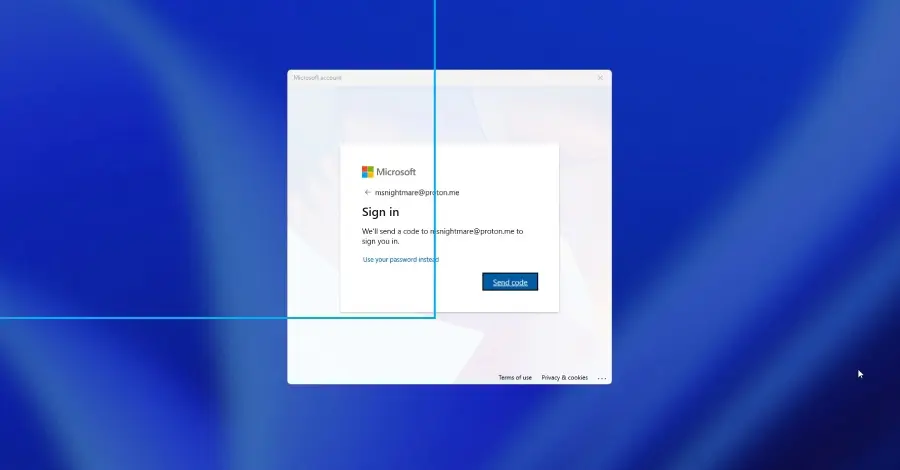
The FastUnlock technique is not a universal bypass that affects every Windows installation globally. Instead, successful execution of the method relies on a specific set of preconditions. An attacker must possess direct physical access to the target computer and interact with a Microsoft account that remains accessible through the lock screen’s recovery or accessibility options.
The mechanism cleverly leverages Windows’ built-in accessibility features—specifically the Narrator screen reader—to navigate the locked interface in unconventional ways. During independent testing by ThreatLocker, researchers were able to successfully manipulate these built-in functionalities to reach a state where arbitrary programs could be executed directly from the lock screen.
The resulting execution environment operates under a restricted user profile identified by the researchers as "WSIAccount." ThreatLocker explicitly confirmed that this profile functions strictly as a limited user account and does not provide administrative privileges, meaning an attacker cannot inherently modify system-wide configurations, install deep-rooted rootkits, or alter core operating system files via this account alone.
The original disclosure provided by the researcher on GitHub consisted of a brief post accompanied by a proof-of-concept video with minimal technical documentation. Consequently, the most comprehensive breakdowns of how the flaw operates stem from independent security analyses conducted by firms like ThreatLocker, which rushed to evaluate the risk profile for enterprise and consumer environments.
The Intersection of BitLocker and Physical Security

A critical aspect of the FastUnlock technique involves how it interacts with modern Windows disk encryption mechanisms, most notably BitLocker. Many modern enterprise and consumer Windows computers rely on BitLocker to secure sensitive data at rest, encrypting the entire system drive to protect against offline data theft.
However, in a very common hardware configuration, this encryption layer does not inherently mitigate the risk posed by physical bypass techniques like FastUnlock. Modern motherboards utilize a dedicated hardware component known as a Trusted Platform Module (TPM). In standard deployments, the TPM chip automatically releases the encryption keys and unlocks the drive during the boot sequence without requiring user intervention.
By the time the Windows operating system finishes booting and presents the graphical lock screen to the user, the underlying drive has already been decrypted and files are fully readable by the operating system environment. This operational mode is fully documented in Microsoft’s official hardware security guidelines, which describe scenarios where TPM configurations unlock drives without requiring a user-supplied PIN.
Because FastUnlock operates on a computer that has already completed its normal boot sequence and decrypted its storage volumes, it bypasses the need to break cryptographic algorithms or brute-force recovery keys. While this represents a fundamentally different and narrower threat profile than traditional disk-decryption attacks, it nevertheless poses a tangible security risk for any machine left unattended or physically exposed in a public or semi-public environment.
Assessing the Overall Threat Landscape
The combination of required physical access and a reachable Microsoft account defines the exact boundary of vulnerability for Windows machines. Because Microsoft has not yet issued an official advisory or a comprehensive list of affected operating system builds and versions, enterprise security teams and individual users are advised to treat any machine meeting these operational conditions as potentially vulnerable until an official patch or guidance is formally released.
In the absence of an immediate vendor-supplied patch, cybersecurity professionals emphasize the importance of bolstering physical security and enforcing stricter startup configurations. Organizations and individuals looking to mitigate exposure to physical lock-screen bypasses often rely on hardware-level precautions.
Microsoft’s published countermeasures documentation for BitLocker recommends implementing a startup PIN. When a startup PIN is enabled, the TPM chip refuses to release the encryption keys automatically upon booting; instead, the system halts the startup process until the physical user enters a secure PIN directly into the keyboard. This ensures that even if an unauthorized individual gains physical access to a powered-off machine, they cannot boot the operating system to the lock screen without knowing the startup PIN, thereby neutralizing the prerequisite state required for techniques like FastUnlock.
Additionally, security best practices dictate that users and system administrators should cultivate a habit of fully shutting down or placing devices into deep hibernation modes—rather than leaving them in simple sleep states—whenever machines are left unattended in potentially insecure environments. These measures ensure that the operating system state is securely locked down behind pre-boot authentication layers.
As the cybersecurity community continues to analyze the implications of the FastUnlock disclosure, defenders await official communication and remediation patches from Microsoft to permanently close the underlying logic gap that permits lock-screen program execution. In the interim, vigilance regarding physical device custody and the implementation of robust pre-boot authentication remain the primary defenses against hands-on security exploits.